Customer Forms — Overview
Beta — limited availability
Customer Forms is in beta and currently only available to a small group of pilot users. If your team can't see this feature in the ZAI portal, that's expected.
Customer Forms let you build public-facing forms whose submissions feed into ZAI workflows or create PSA tickets. You can build a form from scratch, generate one from an existing workflow, or import an existing Cloud Radial catalog item.
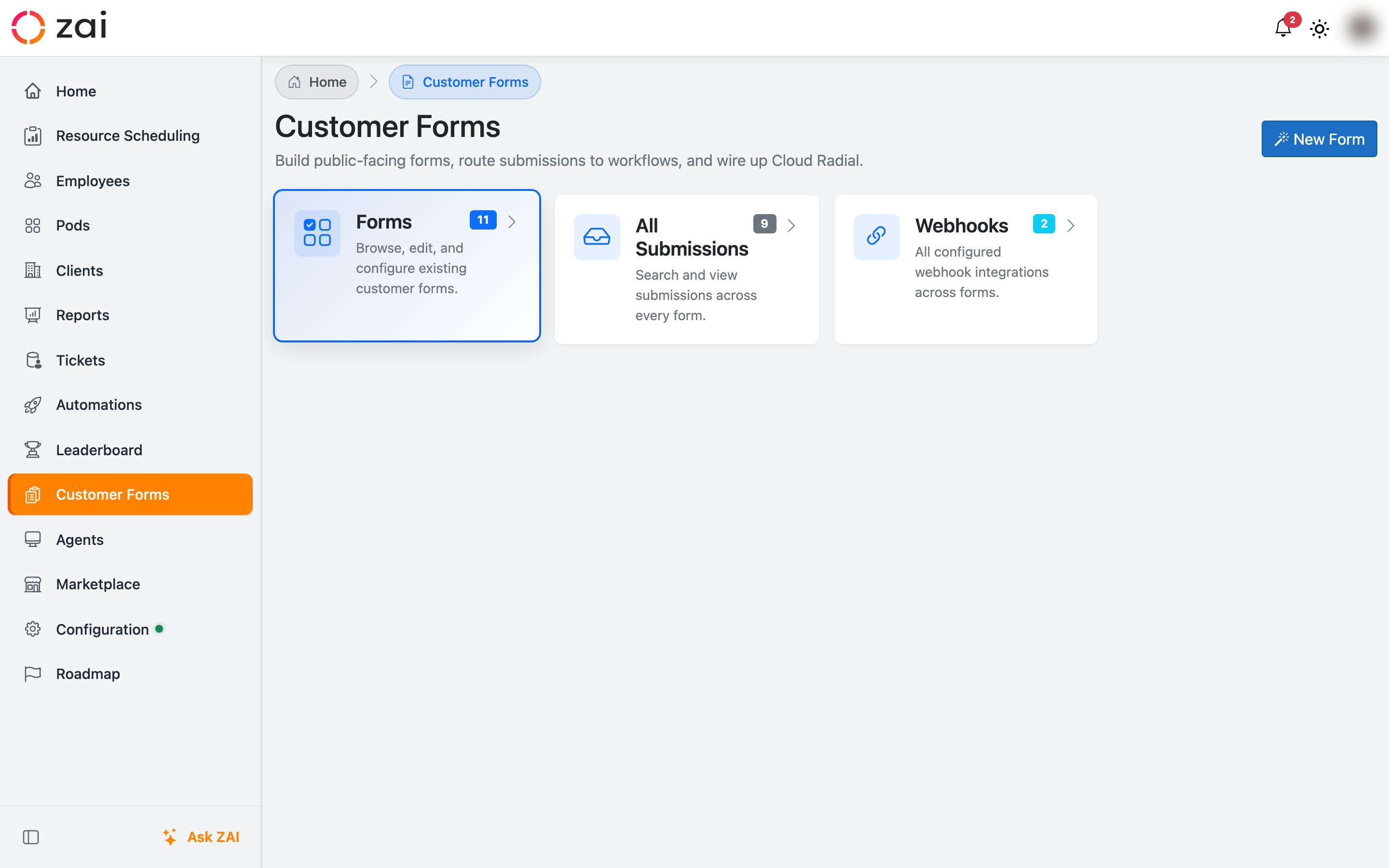
Where to find it
Open Customer Forms from the main navigation. The landing page has three cards:
| Card | What it does |
|---|---|
| Forms | Browse, edit, and configure existing customer forms. |
| All Submissions | Search and view submissions across every form. |
| Webhooks | Every configured webhook integration across forms. |
Form sources
When creating a form you pick one of three sources:
- Workflow — generate the form's fields from a workflow's input parameters. Best for new automations where the workflow already defines what data is needed.
- Cloud Radial catalog item — import an existing CR form's questions, auto-configure the CR webhook, and embed a live status iframe back into CR's thank-you page.
- Blank — start with no fields; build the form by hand on the Edit page.
See Creating Forms for the workflow-based path and Cloud Radial Integration for the CR import path.
What happens when a form is submitted
- The submission is recorded against the form (visible in All Submissions and the per-form Submissions page).
- If the form has a workflow attached, it runs with the submitted values mapped to the workflow's input parameters.
- If the form has Create ticket enabled, a PSA ticket is created and linked to the submission.
- The submitter sees either ZAI's success page or — for forms imported from Cloud Radial — a live status iframe embedded in the CR thank-you page.
Webhooks
Forms can also be triggered remotely by another system (Cloud Radial, Halo PSA, Power Automate, Zapier, etc.) via a webhook. Webhooks turn an incoming JSON payload into a form submission, mapping payload paths to form fields. See Webhook Integrations.